Start here
Desktop GUI (cvm-ui)
A visual layer over the same environments the CLI manages - no separate state, no separate format.
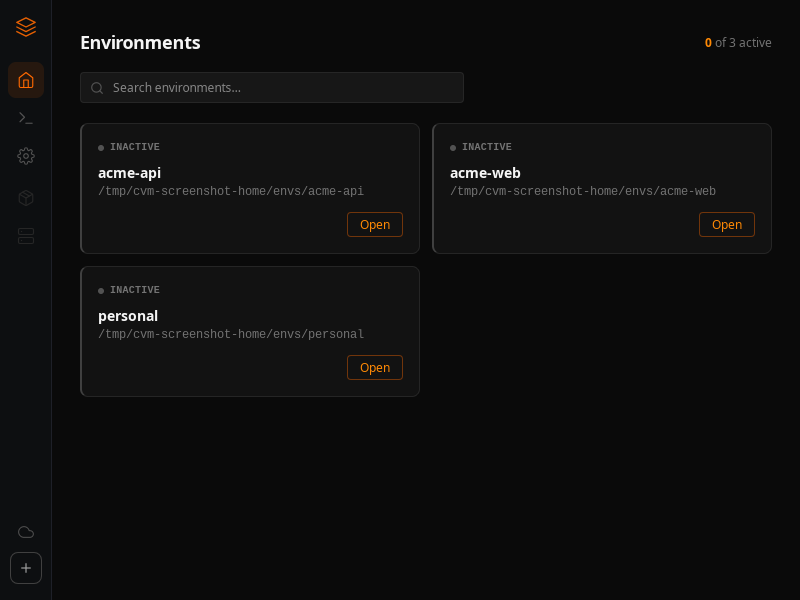
cvm-ui is a Tauri desktop app for browsing and editing environments without a terminal. It reads and writes the exact same ~/.cvm/envs/<name> directories as the CLI, so switching between the two at any point is safe.
Opening it
cvm launchThe first run downloads the matching cvm-ui release asset into ~/.cvm/bin/ and launches it; later runs just launch the already-installed binary.
What's in it
- Environments - the list above, plus a detail view per environment with tabs for MCP Servers, Env Vars, Skills & Agents, Configuration, and Account.
- Hooks - a global editor for the same
~/.cvm/hooks/scripts described in the Core concepts lifecycle hooks section. - Settings - app version, the on-disk paths cvm uses, and a check-for-updates/update-now action that downloads and swaps the running
cvm-uibinary in place.
Everything the GUI does is backed by the same
cvm-core logic as the CLI - there is no GUI-only state to keep in sync.